Add TOPKHOJ as a Preferred Source on Google
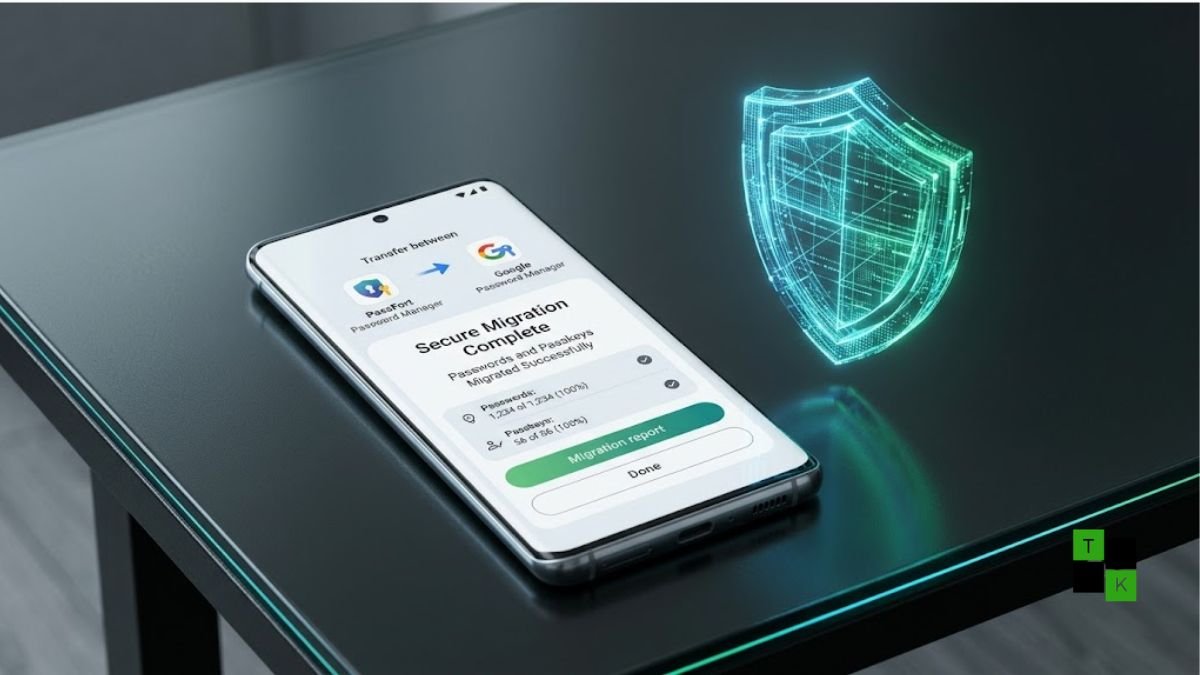
Google has officially eliminated one of the most persistent security vulnerabilities in consumer credential management by rolling out a direct, encrypted password and passkey migration system on Android. Previously, moving credentials between competing vault applications required users to export their entire database into an unencrypted CSV text file stored locally in device downloads.
The updated framework allows users to transfer passwords and cryptographic passkeys directly from one password manager to another without generating unencrypted intermediate files or exposing raw login credentials to device storage.
30-Second TL;DR
- Core Update: Android now natively handles end-to-end encrypted transfers of passwords and passkeys between supported vault services.
- No More CSV Exposure: Replaces risky unencrypted text file exports with direct, sandboxed app-to-app data handoffs.
- Native Passkey Portability: Solves passkey lock-in, enabling cryptographic credentials to migrate smoothly between providers for the first time.
- Supported Platforms: Launches with Day-One compatibility for Google Password Manager, 1Password, Bitwarden, and Dashlane.
- Broad Availability: Available on devices running Android 8 (Oreo) and above via Google Play Services, backed by an open API for third-party developer integration.
Eliminating the Unencrypted CSV Security Threat
For years, transitioning between digital credential vaults posed a significant security dilemma. Standard operating procedure required users to generate a comma-separated values (.csv) spreadsheet containing their complete archive of web addresses, usernames, and plaintext passwords.
- The Sideloading Hazard: Once exported, the unprotected CSV file sat in standard user-accessible storage folders (such as Downloads), vulnerable to rogue background applications or accidental cloud synchronization.
- The Human Error Factor: Users frequently forgot to shred or delete the exported spreadsheet after importing, leaving an unencrypted snapshot of their digital footprint on their smartphones indefinitely.
- Zero Intermediary Storage: Android’s new direct transfer mechanism sandboxes the transmission entirely within memory buffers protected by hardware-backed encryption, ensuring zero persistent files are ever written to local flash storage.
Direct Passkey Portability Across Competing Vaults
While passwords could at least be extracted via text files, passkeys introduced an entirely new platform lock-in problem. Because passkeys rely on asymmetric cryptographic keypairs tied to specific authenticator roots, they could not be converted into human-readable text or exported via legacy spreadsheet formats.
Switching password managers previously meant abandoning existing passkeys and manually registering new hardware tokens across every individual website and financial app. The new Android integration solves this by aligning with emerging cross-provider transfer specifications established by the FIDO Alliance, packaging private keys securely so they can be adopted by the destination app without invalidating relying-party authentication pairs.
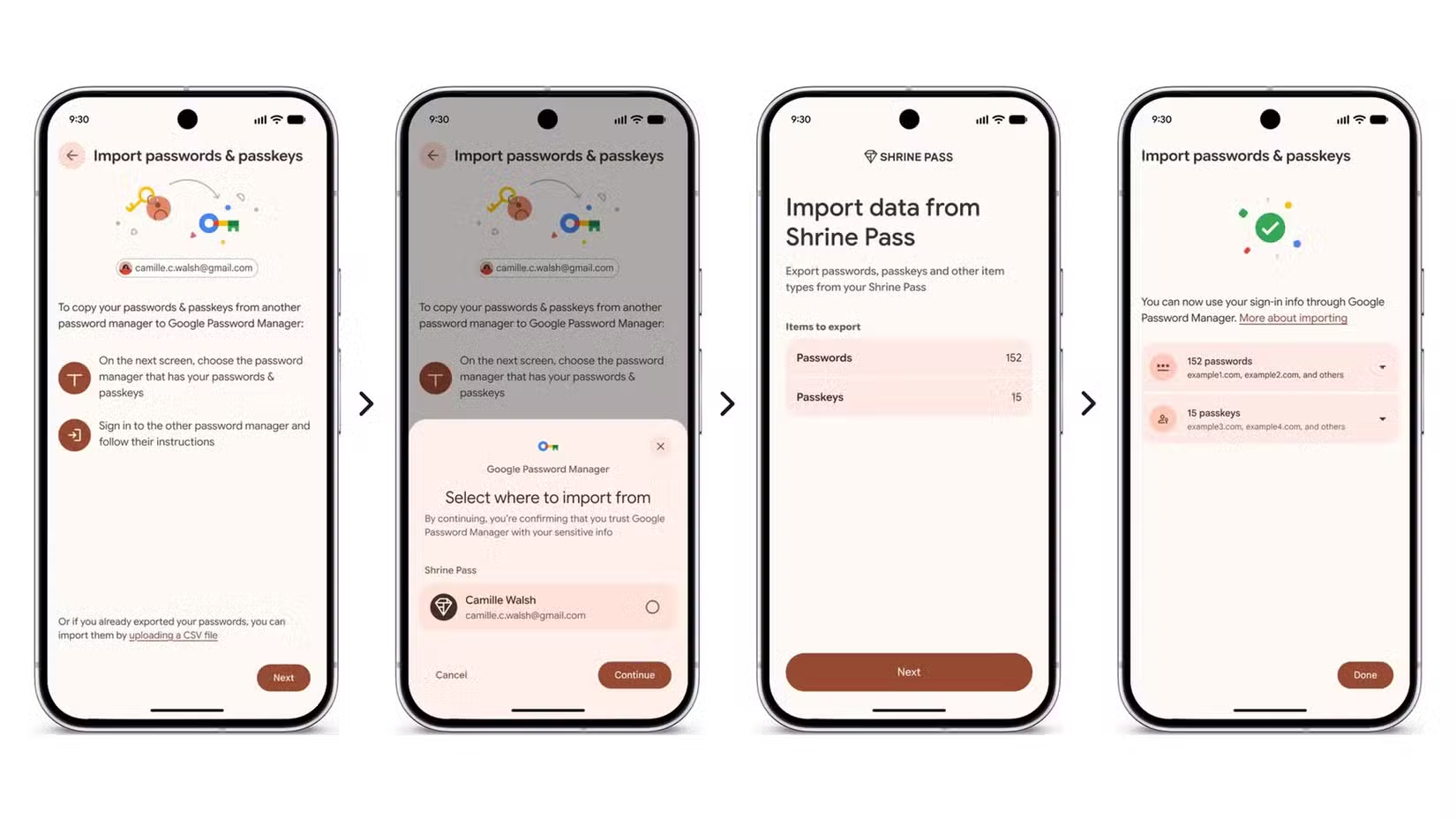
Legacy CSV Export vs. Android Native Secure Transfer
| Parameter | Legacy CSV File Workflow | Android Native Secure Transfer |
| Data Encryption | Plaintext / Unencrypted during transit | End-to-End Encrypted via Sandboxed Memory |
| File Generation | Saves raw spreadsheet to device storage | Zero files created or stored on disk |
| Passkey Support | Unsupported (Passkeys must be re-registered) | Full Passkey Transfer Supported |
| Biometric Verification | Single export prompt | Continuous screen-lock / biometric handshake |
| Supported Services | Manual formatting adjustments often required | Google Password Manager, 1Password, Bitwarden, Dashlane |
| OS Compatibility | Universal (Manual file handling) | Android 8 (Oreo) and newer |
How the Migration Workflow Works
The transfer experience is initiated from within the new destination app, keeping user intent at the center of the exchange:
- Initiate in Destination App: When setting up a new service (such as migrating from Bitwarden to 1Password), the user selects “Import from another service”.
- Automated Source Detection: Android scans installed applications and surfaces a native system bottom sheet displaying compatible credential sources currently resident on the device.
- Biometric Handshake: Tapping the source vault automatically hands control over to that app, prompting the user for fingerprint or PIN authentication.
- Granular Review: The user reviews the tally of usernames, passwords, and passkeys scheduled for relocation and grants explicit one-time export permission.
- Direct Relay: Android completes the encrypted transfer in seconds, immediately populating the new vault without lingering traces left in temporary cache.
Broad Compatibility and Developer API Expansion
Google has enabled the migration capability across devices running Android 8 and higher, delivering the feature via Google Play Services rather than restricting it to newer platform releases.
While the launch lineup features Google Password Manager, 1Password, Bitwarden, and Dashlane, Google has published companion APIs within the Credential Manager framework. This allows regional password managers, open-source utilities like KeePass derivatives, and enterprise identity providers to implement direct imports and exports in upcoming software updates.
🚨 Stay Updated with TopKhoj! 🚨
Get the latest tech news, deals, and exclusive offers first!
📰 Visit News Section📲 Join our Telegram Channel for real-time updates and best deals!
🔗 Join Telegram Now💡 Stay informed and never miss a great deal with TopKhoj!
⚠️ Disclaimer: Any link provided in the article related to a product or service will redirect you to our affiliate partner(s)' website, which are affiliate links. This means that if you make a purchase through these links, we may earn a commission at no extra cost to you. This commission helps support our blog and our work.
🔔 All prices mentioned above are subject to change based on current offers and availability on e-commerce platforms. Please check the latest price and product details on the product page before making a purchase.