Add TOPKHOJ as a Preferred Source on Google
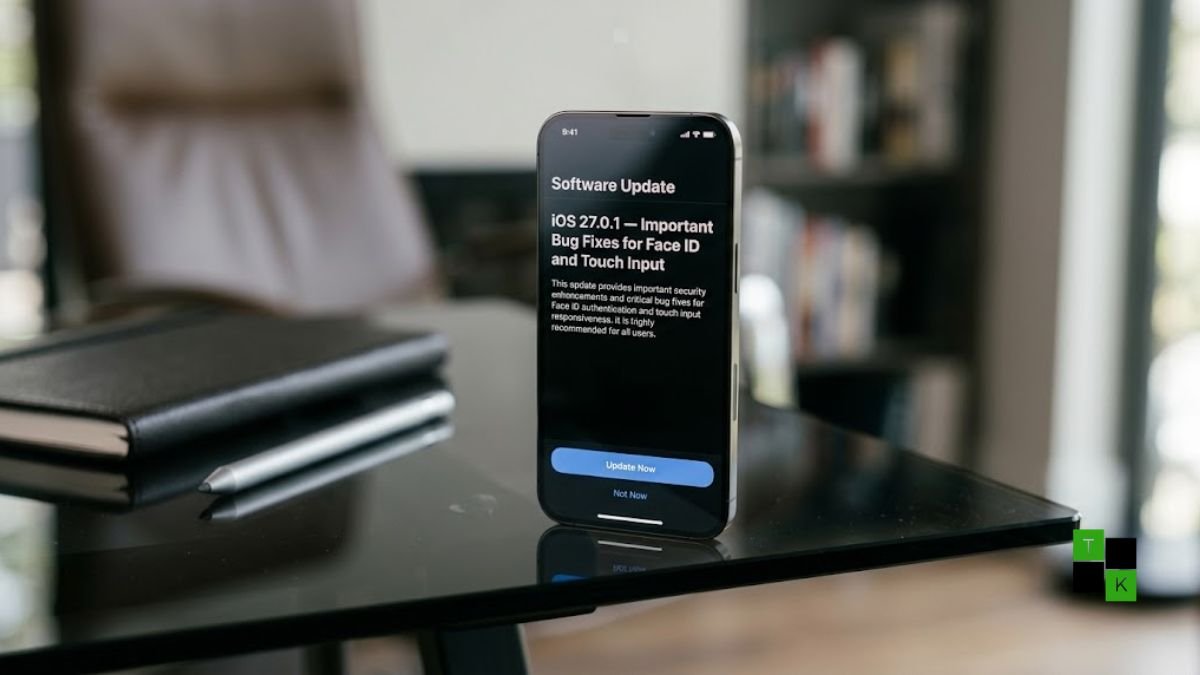
Apple is finalizing its first rapid bug-fix update for the newly launched iPhone 18 series. Following complaints from early adopters of the iPhone 18 Pro and iPhone 18 Pro Max, Apple has acknowledged software glitches causing kernel panics, spontaneous device restarts, and total touch unresponsiveness under iOS 27.
Web analytics and server logs across major tech publications have detected internal builds of iOS 27.0.1, and Apple has confirmed to 9to5Mac that a targeted software update is scheduled to arrive early this week-targeting September 28 or 29, 2026. The update aims to resolve an authentication deadlock tied to the redesigned under-display biometric sensor suite, while clearing up gesture collision freezes affecting the broader iOS 27 user base.
The In-App Face ID Crash: How It Happens
The most disruptive bug is localized specifically to the iPhone 18 Pro and iPhone 18 Pro Max, leaving the regular base models unaffected:
- Triggered Inside Protected Apps: The issue does not occur when unlocking the handset from the primary Lock Screen. Instead, it triggers when Face ID is challenged inside biometrically locked apps-such as Apple’s dedicated Passwords app, private tabs in Safari, banking platforms, or system-level locked applications.
- The “Try Again” Deadlock: If the initial Face ID scan fails-often simulated by an obscured face, wearing polarized sunglasses, or holding the device at an off-angle-a prompt surfaces offering a “Try Face ID Again” button. Tapping this option causes the device’s display to freeze completely, stopping all touch digitizer input.
- System Panic and Reboot: After remaining frozen for approximately 5 to 10 seconds, the device experiences an unhandled watchdog kernel panic and reboots back to the standard Lock Screen.
- Under-Display Sensor Timing: Technical evaluations point toward a timing de-synchronization in the software driver governing the redesigned smaller Face ID sensor array, whose infrared camera elements are now seated directly beneath the active OLED display stack.
Dual Gesture Collision and Calendar Widget Glitches
In addition to the biometric reboot loop, early adopters have documented separate interface conflicts across iOS 27:
- Dual-Swipe Touch Freezes: Users attempting to swipe down the Notification Center (from the top-left) and the Control Center (from the top-right) simultaneously or in rapid succession can trigger an input-layer collision. When triggered, the touchscreen stops acknowledging physical swipes until the phone is put to sleep and awakened via the side power button.
- Calendar Widget Glitches: A minor layout bug has also been identified with the large multi-day Calendar home-screen widget. Following specific sequences of rapid panning gestures, the widget intermittently flickers and displays a false “No Events” state despite active calendar entries.
iOS 27 Early Bugs & Resolution Breakdown
| Issue Identified | Devices Impacted | Root Trigger / Scenario | Temporary Mitigation | Status in iOS 27.0.1 |
| In-App Face ID Panic Reboot | iPhone 18 Pro & iPhone 18 Pro Max | Tapping “Try Face ID Again” in Passwords, Safari, or locked apps | Enter passcode manually; avoid tapping “Try Again” | Primary Fix Scheduled |
| Simultaneous Swipe Touch Freeze | All iPhone models running iOS 27 | Pulling down Notification Center & Control Center at once | Single press Side Button to lock/unlock screen | Included in Patch |
| Calendar Widget Flickering | All iPhone models running iOS 27 | Rapid gesture navigation across Home Screen pages | Remove and re-add the large Calendar widget | Under Review |
| Initial Background Indexing Drain | All upgraded devices | Post-install Spotlight and photo library indexing | Connect to Wi-Fi and power overnight | Normal Operation (Clears in 48-72h) |
Software Defect, Not Hardware Failure: Don’t Swap Devices
When reports first surfaced on Reddit and Apple Support Community forums, some early users visiting physical Apple retail stores were initially advised by technicians to process hardware replacements.
Apple has since clarified that the issue is entirely software-related. Replacing an affected iPhone 18 Pro with another retail unit running the initial iOS 27 factory build will simply recreate the same crash when authenticating protected apps. Device swaps are completely unnecessary, as installing iOS 27.0.1 will patch the driver layer directly.
How to Handle Crashes and Install iOS 27.0.1
Until Apple officially pushes the software update over the air, affected users should adopt a few practical operational habits:
- Avoid Repeating Failed Scans: If an in-app Face ID authentication fails, do not press the “Try Face ID Again” button. Instead, allow the prompt to fall back to manual device passcode entry.
- Executing a Force Restart: If your screen enters an unresponsive state, perform a physical hard reset:
- Press and quickly release the Volume Up button.
- Press and quickly release the Volume Down button.
- Press and hold the Side Button continuously for 10 seconds until the Apple logo appears, then release.
- Updating the Device: Once Apple releases the build early this week, navigate to Settings > General > Software Update, ensure your iPhone is connected to Wi-Fi and above 50% battery (or plugged into a charger), and select Update Now.
The rapid deployment of iOS 27.0.1 follows Apple’s standard launch-window cadence, where initial hardware architectural shifts-such as under-display sensor arrays-frequently receive zero-day driver calibration patches within the first ten days of consumer availability.
🚨 Stay Updated with TopKhoj! 🚨
Get the latest tech news, deals, and exclusive offers first!
📰 Visit News Section📲 Join our Telegram Channel for real-time updates and best deals!
🔗 Join Telegram Now💡 Stay informed and never miss a great deal with TopKhoj!
⚠️ Disclaimer: Any link provided in the article related to a product or service will redirect you to our affiliate partner(s)' website, which are affiliate links. This means that if you make a purchase through these links, we may earn a commission at no extra cost to you. This commission helps support our blog and our work.
🔔 All prices mentioned above are subject to change based on current offers and availability on e-commerce platforms. Please check the latest price and product details on the product page before making a purchase.