Add TOPKHOJ on Google:
 Preferred Source
Addressing persistent user feedback regarding operating system overhead and app performance, Microsoft has officially unveiled a major feature update for Windows 11.
Announced via the official Windows Experience Blog, the release focuses squarely on core system efficiency, delivering up to 20 percent better responsiveness through re-engineered kernel memory management. The architectural shift allows mainstream systems equipped with 8GB of RAM to retain up to 2GB more active application data in physical memory rather than aggressively paging out to solid-state drives.
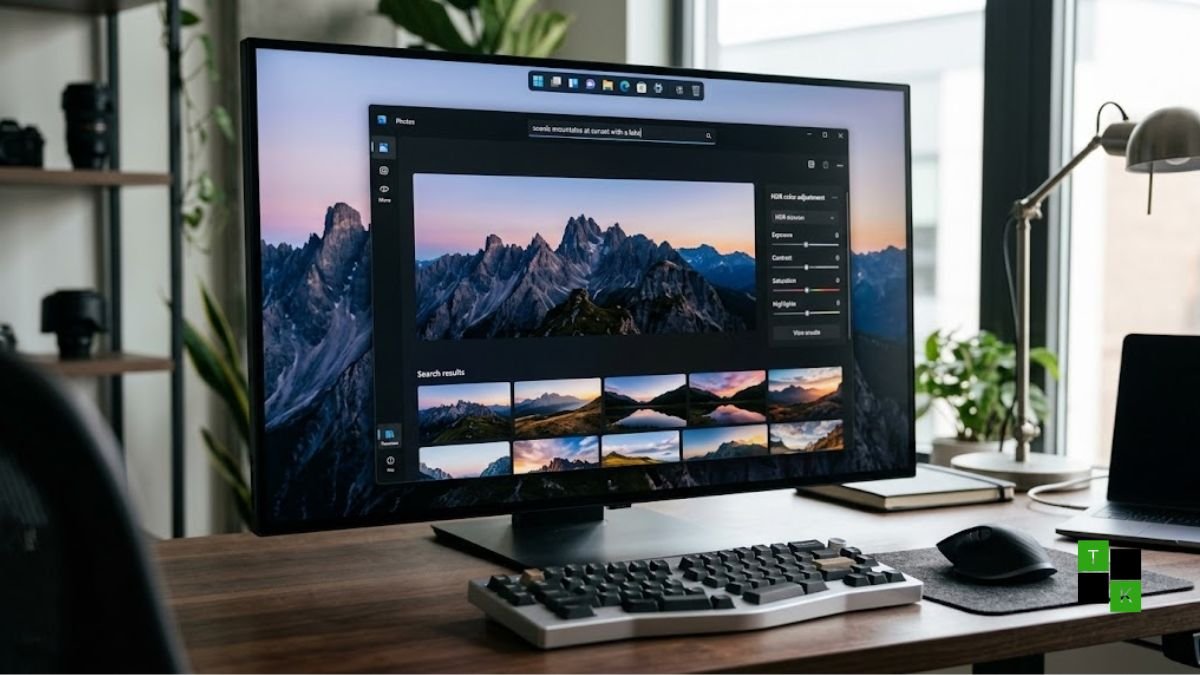
Beyond core performance, the update delivers the long-awaited ability to move the taskbar to any screen edge, deeper phone-to-PC cross-device continuity, and a ground-up overhaul of the native Photos app featuring unified cloud storage integration and an AI-powered editing suite. The features are rolling out immediately to members of the Windows Insider Program, with a broad public stable release scheduled for later this year.
20% Better Responsiveness: 2GB More Active RAM on 8GB Systems
The foundational pillar of the October 2026 update addresses Windows 11’s memory footprint and background task prioritization:
- 2GB More Active Data in RAM: In traditional Windows 11 builds, background memory governors frequently swap inactive application caches to the disk-based paging file to preserve free RAM headroom-causing perceptible hitching when switching back to background apps. The updated memory manager optimizes heap compression, allowing standard systems with 8GB of physical RAM to hold up to 2GB more active data directly in memory. This reduces drive read/write cycles and accelerates app-switching responsiveness by up to 20%.
- On-Demand Widget Loading: Rather than silently maintaining dedicated WebView2 container processes in the background, the Windows 11 Widgets Board now loads exclusively on demand. System resources are allocated only when a user actively clicks the Widgets icon or triggers its keyboard shortcut (
Win + W), freeing up system threads during gaming and content creation. - Streamlined Shell Interactions: Context menus, File Explorer properties sheets, and Quick Settings toggles have been transitioned to optimized native WinUI 3 controls, eliminating latency and micro-stutters during everyday desktop navigation.
The Rebuilt Photos App: All-New Gallery, Faster Viewer & AI Editor
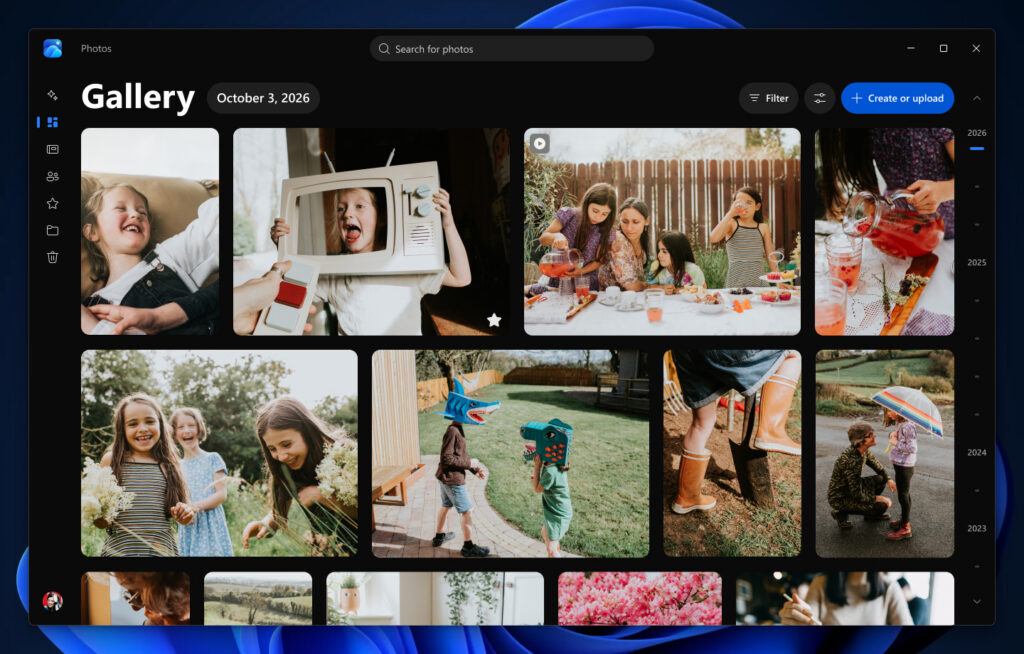
The centerpiece user-facing application in this release is a complete re-architecture of the native Photos app, designed to deliver faster launch times and unified media management:
1. Unified Multi-Cloud Gallery
- Local, OneDrive, and iCloud Together: Users no longer need separate desktop clients or web browsers to access photos stored across disparate services. The rebuilt Gallery aggregates locally stored pictures, Microsoft OneDrive albums, and Apple iCloud Photos into a single, cohesive timeline without requiring users to log into OneDrive just to view local files.
- Natural-Language Search: The Gallery introduces native natural-language search. Instead of sorting through cryptic alphanumeric filenames or strict date ranges, users can type everyday descriptive phrases-such as “hiking trip in the mountains with red jackets” or “photos of golden retriever at the beach”-to locate specific memories instantly.
- Rediscover Moments: OneDrive-linked libraries receive an updated “Moments” and “On This Day” slideshow generator, assembling past anniversary and holiday highlights with fluid cinematic transitions.
2. Redesigned Native Viewer (30% Faster Launch)
- Photo-First Canvas: Launching images directly from File Explorer opens a streamlined viewer that launches up to 30% faster than previous iterations. Menus and metadata badges fade automatically during viewing, giving full prominence to the visual frame.
- Expanded Format & HDR Support: The viewer preserves native 10-bit and 12-bit High Dynamic Range (HDR) color profiles without clipping highlights, while introducing out-of-the-box hardware-accelerated playback for Apple HEIC, WebP, and raw photography formats.
3. Native Editor: Relight and AI Object Removal
- 25% Faster Loading: The native photo editor launches 25% faster and maintains full HDR color and contrast data throughout the cropping and adjustment process.
- AI Generative Erase & Repair: Powered by an updated localized AI model, the updated Repair / Object Removal tool eliminates foreground distractions-such as photobombers, stray trash, or unwanted power lines-with improved texture and edge blending.
- Relight Studio Controls: A new creative lighting engine allows creators to position virtual secondary light sources, adjust directional light falloff, or apply one-click atmospheric presets like “Golden Hour” to portrait and landscape captures.
Long-Awaited Taskbar Flexibility: Move It Anywhere
Addressing a top user complaint since the release of Windows 11 in 2021, Microsoft is officially restoring native taskbar positioning:
- Top, Left, Right, and Bottom Placement: Users can now navigate to
Settings > Personalization > Taskbarand anchor the taskbar along the top, left, right, or traditional bottom edge of their displays. - Optimized for Ultrawide & Vertical Monitors: Moving the taskbar to the left or right screen boundary preserves critical vertical real estate on modern 16:9 and 21:9 ultrawide displays.
- Resizable Density: Users can toggle compact icon sizes to minimize taskbar height, accommodating multi-window professional workflows without requiring third-party shell modifications like Start11 or ExplorerPatcher.
Cross-Device Continuity: Deeper Phone-to-PC Links with Resume
Building upon its Phone Link platform, Windows 11 tightens operational handoffs between mobile devices and desktop workstations:
- Resume Feature: When transitioning from a mobile device (Android or iOS) to a Windows 11 PC, the new Resume tray surfaces ongoing tasks directly on the desktop lock screen and Start menu. Users can immediately resume reading a mobile web article, pick up a drafted text message, or continue editing an active document without manual link sharing.
- Instant Hotspot & Unified Audio: Android devices can automatically broadcast mobile internet tethering upon proximity detection, while paired wireless earbuds seamlessly switch host audio streams between phone and PC based on active media playback.
Windows 11 Legacy Experience vs. October 2026 Update
| Operating System Feature | Windows 11 (Legacy Baseline) | Windows 11 (October 2026 Update) |
| System Responsiveness | Baseline WinUI Compositor | Up to +20% Faster Interactive Responsiveness |
| 8GB RAM Utilization | Aggressive background disk paging | Holds up to 2GB More Active Data in RAM |
| Widgets Architecture | Persistent background WebView2 processes | On-Demand Resource Allocation (Loads on Click) |
| Taskbar Positioning | Locked strictly to Bottom Edge | Freely Positionable (Top, Bottom, Left, Right) |
| Photos App Viewer | Standard launch latency; cluttered chrome | Opens up to 30% Faster; Photo-First Chrome |
| Photos App Editor | 8-bit color clipping; basic spot fix | Loads 25% Faster; Native HDR, HEIC & Relight |
| Photo Library Search | Filename and metadata date queries | On-Device Natural-Language Semantic Search |
| Cloud Photo Links | Isolated OneDrive and local directories | Unified Hub: Local + OneDrive + Apple iCloud |
| Phone Continuity | Basic Phone Link notification mirrors | Resume Framework (Picks up mobile apps on PC) |
| Target Distribution | General Availability | Windows Insiders Now; Broad Public Later 2026 |
Rollout Roadmap and How to Access
The new performance enhancements and redesigned Photos app are deploying through a staged channel release:
- Windows Insider Channels: Available immediately for enrolled Insiders across the Dev and Beta Channels. Users running eligible preview builds can update via
Settings > Windows Update. - Photos App Store Update: The redesigned Photos app is rolling out via automated updates through the Microsoft Store (Version 2026.11100.x and higher) for Insiders.
- General Availability Window: Microsoft has confirmed that the memory management optimizations, taskbar customization toggles, and unified Photos suite will deploy to all standard Windows 11 commercial and home users through a cumulative servicing release later in Q4 2026.
🚨 Stay Updated with TopKhoj! 🚨
Get the latest tech news, deals, and exclusive offers first!
📰 Visit News Section📲 Join our Telegram Channel for real-time updates and best deals!
🔗 Join Telegram Now💡 Stay informed and never miss a great deal with TopKhoj!
⚠️ Disclaimer: Any link provided in the article related to a product or service will redirect you to our affiliate partner(s)' website, which are affiliate links. This means that if you make a purchase through these links, we may earn a commission at no extra cost to you. This commission helps support our blog and our work.
🔔 All prices mentioned above are subject to change based on current offers and availability on e-commerce platforms. Please check the latest price and product details on the product page before making a purchase.