Add TOPKHOJ as a Preferred Source on Google
After more than a decade of regulatory deliberations, banking negotiations, and technical localization, Apple has officially launched Apple Pay in India on September 30, 2026. The deployment allows Indian users to store payment cards inside the native Apple Wallet app and complete contactless transactions at point-of-sale (POS) terminals as well as online checkouts using an iPhone, Apple Watch, or iPad.
At launch, the service is exclusively available to customers holding Axis Bank-issued Visa and Mastercard credit cards, with Apple confirming that additional partner banks, debit card capabilities, and macOS desktop browser support will be rolled out in subsequent phases. The rollout marks Apple’s direct entry into India’s mobile payment landscape, introducing hardware-authenticated tap-and-pay transactions to an ecosystem predominantly anchored by the Unified Payments Interface (UPI).
Tokenized Security: No Physical Card Numbers, PINs, or SMS OTPs
Apple Pay’s arrival in India complies fully with the Reserve Bank of India (RBI) card tokenization directives. Rather than storing actual 16-digit credit card numbers on user devices or transferring them to merchant servers during checkout, the platform utilizes hardware-isolated tokenization:
- Device Account Number & Secure Element: When an Axis Bank card is registered, a unique, encrypted Device Account Number is generated and stored securely inside the device’s industry-standard Secure Element chip.
- Dynamic Security Codes: Every individual transaction is authorized with a one-time dynamic cryptographic security code. Card numbers are never transmitted to the merchant, shielding consumers against point-of-sale skimming and database breaches.
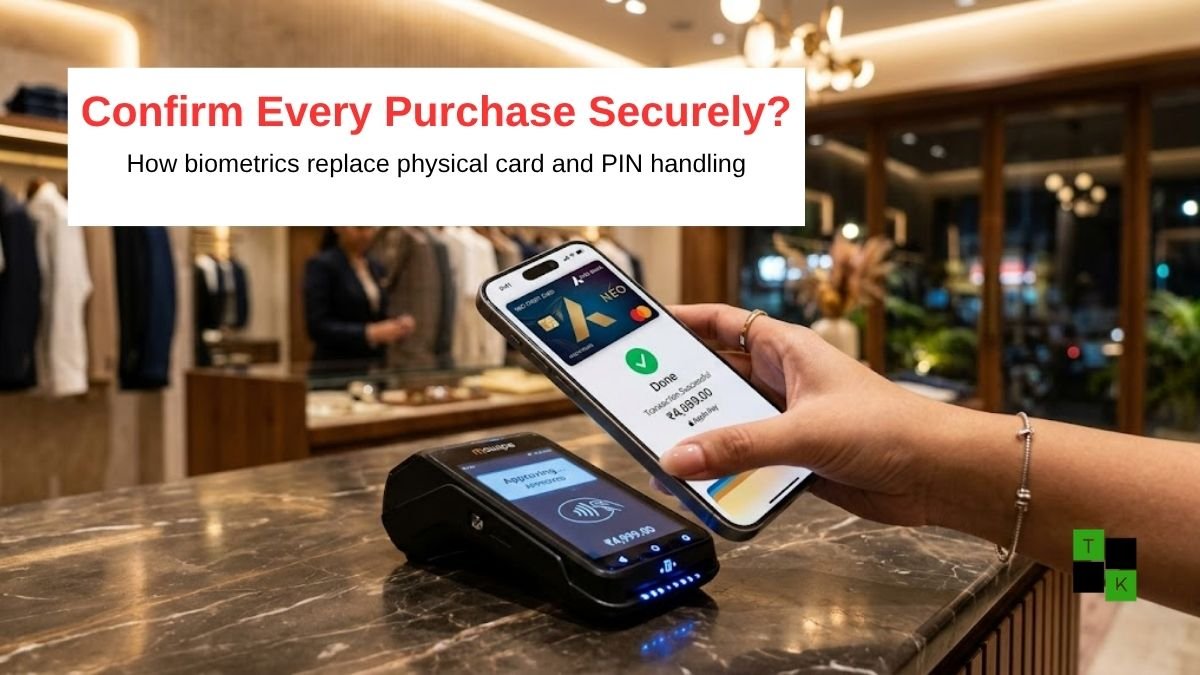
- Biometric Friction Reduction: For retail contactless payments below the standard RBI contactless limit, users double-click the side button on their iPhone or Apple Watch and authenticate via Face ID, Touch ID, or device passcode. Physical plastic card handover, terminal PIN entry, and SMS one-time passwords (OTPs) are eliminated.
- Privacy Assurance: Apple confirmed it does not collect or retain transaction histories that can be tied back to an individual user’s identity. Transaction records remain strictly between the user, the merchant, and Axis Bank.
Apple Pay India Launch: Service Overview & Specifications
| Feature / Metric | Launch Implementation Details |
| Official Launch Date | September 30, 2026 |
| Initial Banking Partner | Axis Bank |
| Eligible Card Types | Axis Bank Retail Visa & Mastercard Credit Cards |
| Supported Devices | iPhone XR or later (iOS 18+), Apple Watch Series 6+ (watchOS 11+), iPad |
| Desktop / Mac Support | Officially announced as “Coming Soon” |
| Authentication Methods | Face ID, Touch ID, or Opt-in Device Passcode |
| Launch App Integrations | Zomato, Blinkit, Apple Store Online, with more onboarding |
| In-Store Acceptance | Any retail POS terminal supporting contactless NFC (Pine Labs, Innoviti, etc.) |
| Security Architecture | RBI-Compliant Tokenization + Hardware Secure Element |
| Emergency Device Controls | Remote card suspension via Apple’s Find My app |
In-App and Online Merchant Integrations
Beyond physical NFC countertop terminals, Apple Pay is live as a one-tap checkout mechanism across high-volume domestic digital storefronts:
- Instant Food Delivery & Quick Commerce: Indian quick-commerce and delivery giants Zomato and Blinkit have activated native Apple Pay checkout sheets, allowing iOS users to pay for groceries and meal orders without being redirected through third-party payment aggregator webviews or waiting for banking SMS OTPs.
- Apple Retail Stores & Online: Customers shopping at Apple BKC (Mumbai), Apple Saket (New Delhi), or the Apple Store Online in India can complete purchases of MacBooks, iPhones, and accessories directly via Apple Pay.
- Payment Service Provider (PSP) SDKs: Leading payment gateways-including Razorpay, Cashfree, and Pine Labs-have integrated Apple Pay APIs into their merchant checkout stacks, enabling thousands of independent direct-to-consumer (D2C) brands to toggle on Apple Pay support for visitors checking out on Safari.
Leadership Commentary
Framing the long-awaited entry, Jennifer Bailey, Apple’s Vice President of Apple Pay and Apple Wallet, highlighted India’s rapid digital payments adoption:
“India’s dynamic, digitally savvy population is embracing cashless payments at an unprecedented pace while demanding the highest standards of security and personal privacy. We are thrilled to bring Apple Pay to India, offering customers an easy, private, and secure way to pay using the devices they carry every day.”
Commenting on the inaugural partnership, Amitabh Chaudhry, Managing Director and Chief Executive Officer of Axis Bank, noted:
“At Axis Bank, our aspiration is to remain at the forefront of the payments transformation by building customer experiences that are progressive, trusted, and deeply relevant. Partnering with Apple to bring Apple Pay to our credit card holders provides them with unparalleled convenience, speed, and safety.”
How to Set Up Apple Pay on iPhone and Apple Watch
Eligible Axis Bank cardholders can set up the service through two straightforward channels:
Method 1: Through the Apple Wallet App
- Open the native Wallet app on an iPhone running iOS 18 or later.
- Tap the “+” (Add Card) icon in the upper-right corner.
- Select “Debit or Credit Card” and tap Continue.
- Align your Axis Bank credit card inside the camera frame or enter card credentials manually.
- Complete the one-time bank SMS verification. Once verified, the card is provisioned into the Secure Element and ready for tap-to-pay use.
Method 2: Via the Axis Bank Mobile App
- Ensure the Axis Bank Mobile Banking app (open) is updated to its latest version.
- Navigate to the Credit Cards dashboard.
- Select the eligible card and tap “Add to Apple Wallet.”
- Follow the on-screen authorization prompts to instantly sync the token across your iPhone and paired Apple Watch.
Navigating a UPI-Dominated Payments Landscape
Apple Pay’s entry into India comes at a time when the country’s retail digital transaction volume is overwhelmingly dominated by the Unified Payments Interface (UPI), which processed billions of monthly transactions at near-zero merchant processing cost.
By launching initially with credit card tokenization rather than direct bank-account-linked UPI rails, Apple is targeting a specific consumer niche:
- Affluent Urban Cardholders: iPhone ownership in India skews heavily toward urban, premium credit card users who actively seek reward points, air miles, and cashback on high-value transactions-benefits typically unavailable on basic peer-to-peer UPI payments.
- Global Interoperability: Because Axis Bank Visa and Mastercard credit cards tokenized in Apple Wallet operate on global payment protocols, Indian cardholders can use their iPhone or Apple Watch to tap and pay seamlessly while traveling abroad across more than 90 countries where contactless NFC is standard.
- Upcoming Expansions: Industry sources indicate that discussions are currently active with other tier-1 domestic issuers-including HDFC Bank, ICICI Bank, and SBI Cards-to join the platform, alongside evaluating regulatory pathways for deeper integration with domestic payment rails over the coming years.
🚨 Stay Updated with TopKhoj! 🚨
Get the latest tech news, deals, and exclusive offers first!
📰 Visit News Section📲 Join our Telegram Channel for real-time updates and best deals!
🔗 Join Telegram Now💡 Stay informed and never miss a great deal with TopKhoj!
⚠️ Disclaimer: Any link provided in the article related to a product or service will redirect you to our affiliate partner(s)' website, which are affiliate links. This means that if you make a purchase through these links, we may earn a commission at no extra cost to you. This commission helps support our blog and our work.
🔔 All prices mentioned above are subject to change based on current offers and availability on e-commerce platforms. Please check the latest price and product details on the product page before making a purchase.