
Add TOPKHOJ on Google:
 Preferred Source
For years, sending a birthday wish at midnight or queuing up a morning reminder on WhatsApp required setting phone alarms or relying on third-party automation workarounds. That limitation officially ends this week.
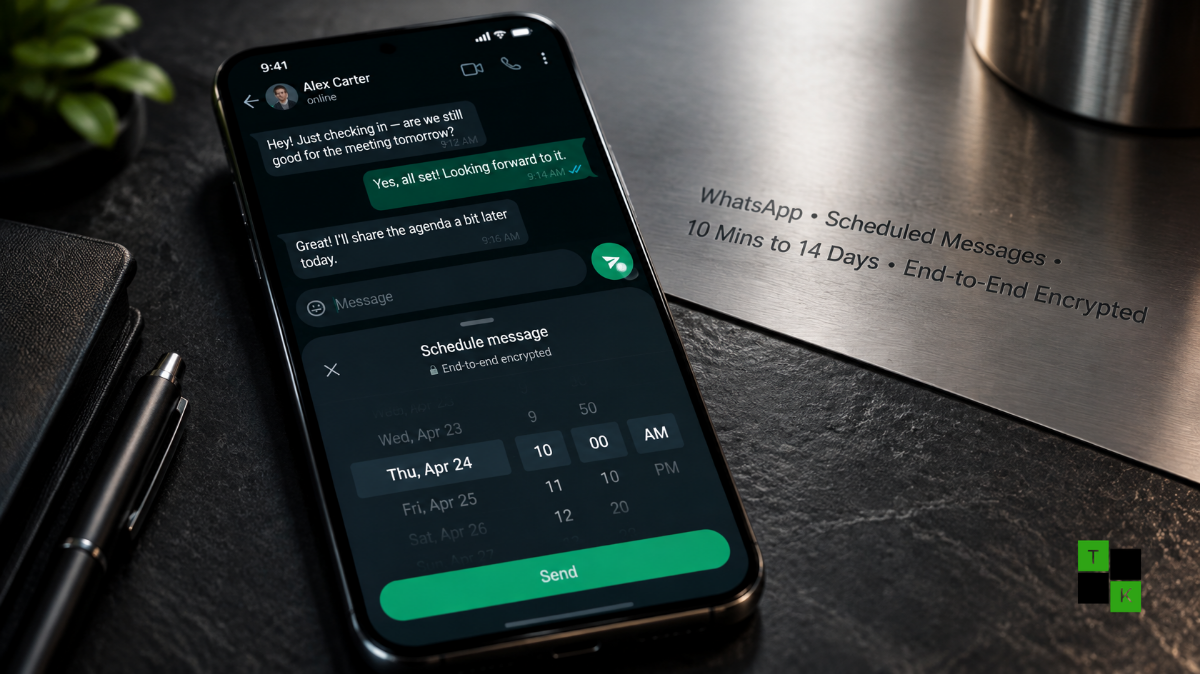
In a blog post titled “Say it at the right time with scheduled messages” published on November 25, 2026, WhatsApp introduced native Scheduled Messages. Rolling out globally to Android and iOS users-including early availability across India-the feature lets you draft texts, photos, and videos ahead of time and send them automatically anywhere from 10 minutes to 14 days later.
Key Capabilities: Offline Delivery, Encryption & Media Support
Unlike basic local client reminders that fail if your device loses connectivity, WhatsApp engineered its scheduling system to work reliably in the background without sacrificing privacy:
- Sends Even When Your Phone Is Off: WhatsApp confirms that once a message is scheduled, it will still be delivered at your chosen date and time even if your phone is powered off, offline, or out of battery.
- Full End-to-End Encryption: Like standard chats, scheduled texts, photos, and videos remain protected by end-to-end encryption-meaning nobody outside the conversation, including WhatsApp and Meta, can read or view them.
- Invisible to Recipients: To the person receiving it, a scheduled message looks identical to any regular WhatsApp message-with no “scheduled” badge or notification.
- Individual & Group Chats (With One Caveat): Works in both one-on-one conversations and group chats. However, WhatsApp’s Help Center notes that in group chats, a scheduled message is delivered only to members who were already in the group at the time you drafted it; anyone who joins afterward will not receive it.
- Consumer App Only at Launch: The feature is currently rolling out to standard consumer WhatsApp accounts on Android and iOS, and is not yet available on WhatsApp Business.
How to Schedule, View, and Delete Messages on WhatsApp
Before trying the feature, make sure your WhatsApp app is updated to the latest build on the Google Play Store or Apple App Store. Because Meta is rolling it out in waves over the coming weeks, it may take a few days to appear on every account.
Step-by-Step: Scheduling a Message
- Open WhatsApp and enter any one-on-one or group chat.
- Type your text message, or attach a photo or video.
- Press and hold the Send button instead of tapping it.
- Scroll to select your desired delivery date and time (between 10 minutes and 14 days ahead).
- Tap Send at [chosen time] to confirm.
Viewing or Deleting Scheduled Messages
- Tap your profile picture inside WhatsApp.
- Select Scheduled messages to view all queued messages across your chats in one centralized list.
- To cancel a message before it goes out, press and hold the message and tap Delete. (Note: WhatsApp’s official documentation currently covers viewing and deleting scheduled messages rather than editing them in place; if you need to change the text or timestamp, delete the entry and schedule a new one.)
Platform Comparison: WhatsApp vs. Telegram vs. Apple Messages vs. Google Messages
| Messaging Feature | WhatsApp (Nov 2026) | Telegram | Apple Messages (iOS 18+) | Google Messages |
| Scheduling Window | 10 Minutes to 14 Days | Up to 1 Year Ahead | Up to 14 Days Ahead | Custom Date & Time |
| Supported Content | Text, Photos & Videos | Text, Media, Files, Polls | Text & Media | Text & Media |
| Works If Phone Is Off | Yes (Automatic Delivery) | Yes (Server-Queued) | Yes (iCloud-Queued) | Requires Phone Online |
| Default Encryption | End-to-End Encrypted | Cloud-Encrypted (Standard) | End-to-End Encrypted (iMessage) | E2EE (RCS Chats Only) |
| Recipient Indicator | None (Looks Like Regular Text) | None | None | None |
| Group Chat Support | Yes (Members at Draft Time) | Yes | Yes (iMessage Groups) | Yes |
Practical Takeaway for Everyday & Work Users
- Solves Time-Zone & Off-Hours Etiquette: Whether you are messaging international contacts across time zones or queuing a work update at 11:00 PM so it lands at 9:00 AM the next morning, native scheduling eliminates the need to leave drafts sitting open overnight.
- Watch the 14-Day Ceiling: While the 10-minute to 14-day window covers birthdays, exam wishes, and short-term reminders, users looking to schedule messages months in advance will still need calendar reminders.
- Business Accounts Must Wait: Small businesses using WhatsApp Business to coordinate orders or customer follow-ups cannot access this native tool yet and will need to wait for a separate business-tier rollout.
🚨 Stay Updated with TopKhoj! 🚨
Get the latest tech news, deals, and exclusive offers first!
📰 Visit News Section📲 Join our Telegram Channel for real-time updates and best deals!
🔗 Join Telegram Now💡 Stay informed and never miss a great deal with TopKhoj!
⚠️ Disclaimer: Any link provided in the article related to a product or service will redirect you to our affiliate partner(s)' website, which are affiliate links. This means that if you make a purchase through these links, we may earn a commission at no extra cost to you. This commission helps support our blog and our work.
🔔 All prices mentioned above are subject to change based on current offers and availability on e-commerce platforms. Please check the latest price and product details on the product page before making a purchase.